


Payment Instructions
Payments can be made by check or online through Jovial, via ACH (direct banking) or Credit Card.
Important Notes
When paying online via credit card, we ask that you donate the payment processing fee incurred. If the box is not selected, we are not able to accept payment via card.
When paying using bank routing number, members can choose whether to donate this fee or not.
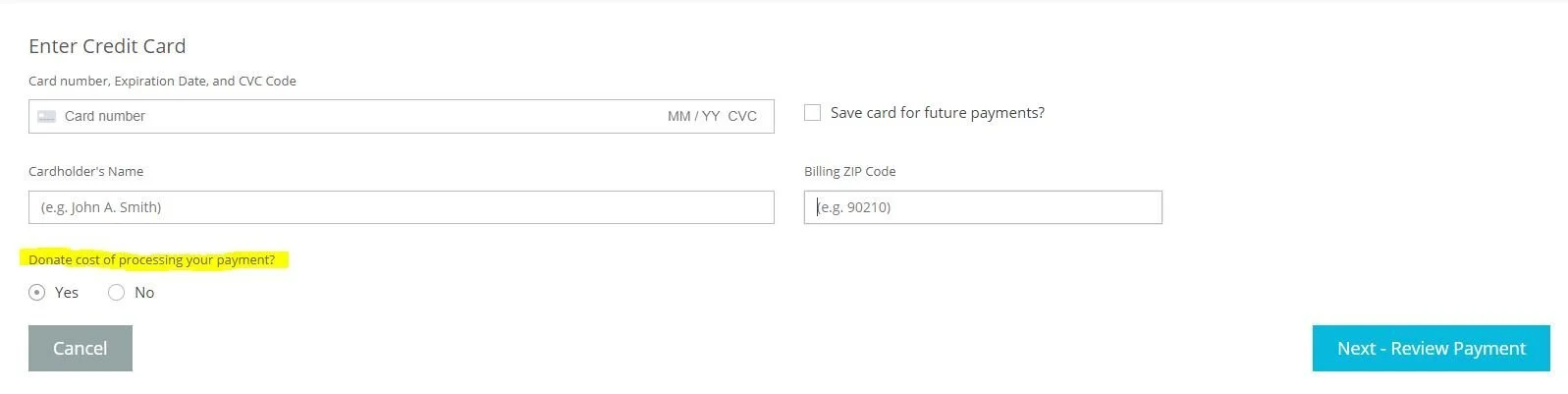
Donation of Processing Fee incurred by card payment:
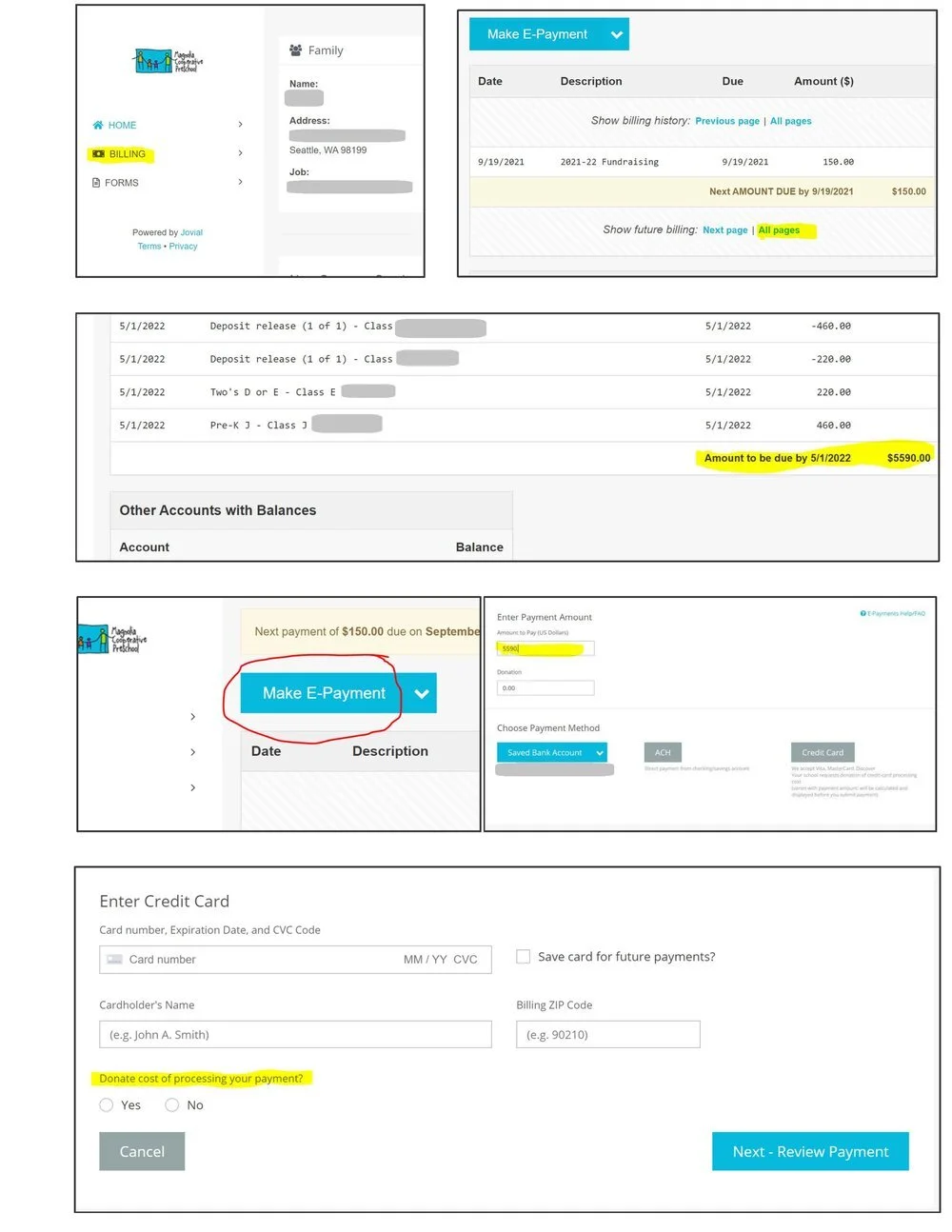
One-time annual tuition payment (vs monthly)
Any families wishing to pay their total annual tuition and dues in one lump-sum can do so easily by following these steps:
Go to your Billing page.
Scroll down, and select Show Future Billing / All Pages.
Scroll to the bottom of the page. Annual tuition and dues are listed on the bottom right hand side. Make note of this amount. (This number does not include future MAC fees)
At the top of the page select, Make E-Payment.
Enter the dollar amount from the billing page. You can pay by bank transfer or credit card.
You may also pay by check in the dropbox on the office door.